Turn One Website Feed into Facebook, Instagram and More
Without rewriting the same content for every platform
2026-05-21 · Peep MummMost small businesses do not fail at social media because they lack ideas.
They fail because posting becomes one more task nobody owns.
- “We haven’t posted in three weeks.”
- “We paid for a website, but half the catalog never gets seen.”
- “I keep meaning to post new products — then the week disappears.”
- “I don’t have time to rewrite the same caption for every channel.”
Your website already has usable content
You already paid for your website and product data. The content is there:
- Product names, descriptions and images
- Service pages and category pages
- Seasonal items and new arrivals
- Blog posts and campaign landing pages
The problem is that this content usually stays inside the website.
SnapPoster turns it into a posting queue. You review the posts, approve the schedule, and the system keeps publishing without you manually rewriting the same content every week.
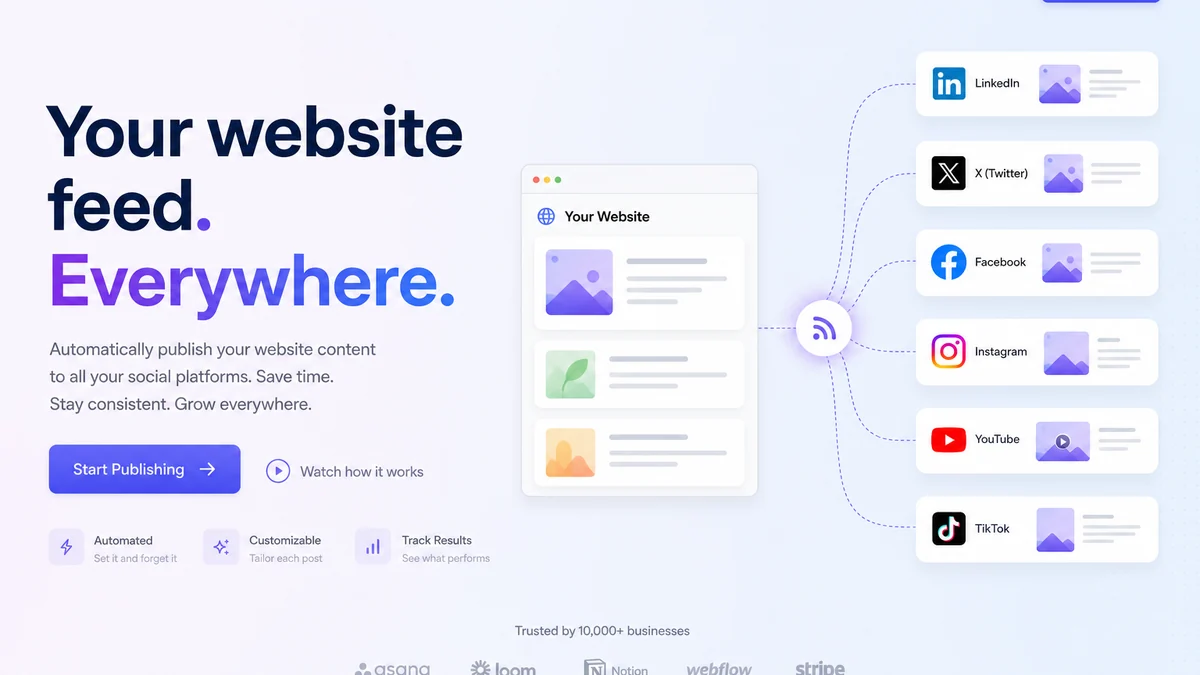
Stop letting website content sit unused.
Turn your feed into a posting queue. Review once, then let the schedule run.
TL;DR
- Core value: reuse website or feed content instead of rewriting posts by hand.
- Workflow: content → queue → review → scheduled publishing.
- Included now: Facebook Page + Instagram (when you connect it).
- Optional add-ons (+€5/mo each): TikTok, Pinterest, Google Business Profile, LinkedIn.
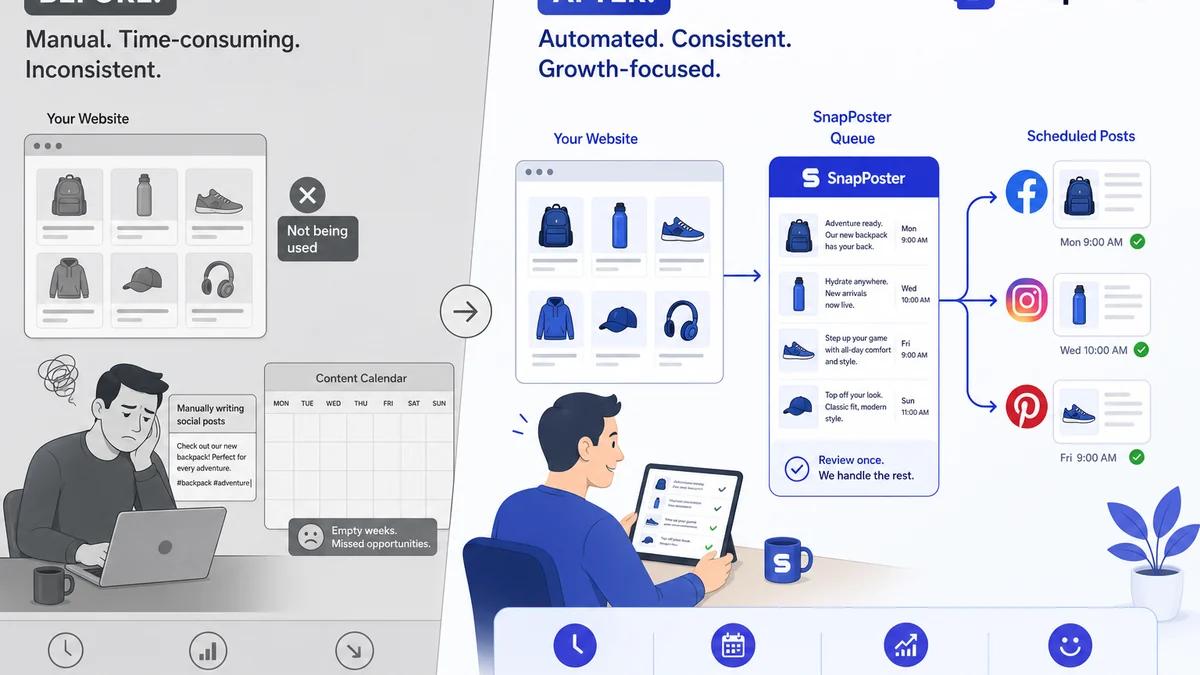
What SnapPoster actually does
SnapPoster does not replace your website. It reuses what is already there.
It can take:
- Product feed content
- Service page content
- Blog or article content
- Selected website pages
- Prepared campaign links
Then it turns that content into scheduled posts.
You still stay in control:
- Review before publishing
- Edit posts if needed
- Pause the schedule
- Adjust posting frequency
Can you automatically post website products to social media?
Yes — if your site has a product feed or enough structured pages.
SnapPoster reads that content, builds posts, puts them on a schedule, and publishes to the channels you connect. You do not need to copy product titles, prices and links by hand every week.
A few honest limits:
- You choose which platforms to connect and what cadence to run.
- Each network has API rules (caption length, link behaviour, image formats). SnapPoster adapts where it can.
- Add-on platforms require the add-on on your plan and a successful OAuth connect before anything goes live.
Example: from product feed to published post
Here is the full path — input, review, then the real output on Facebook.
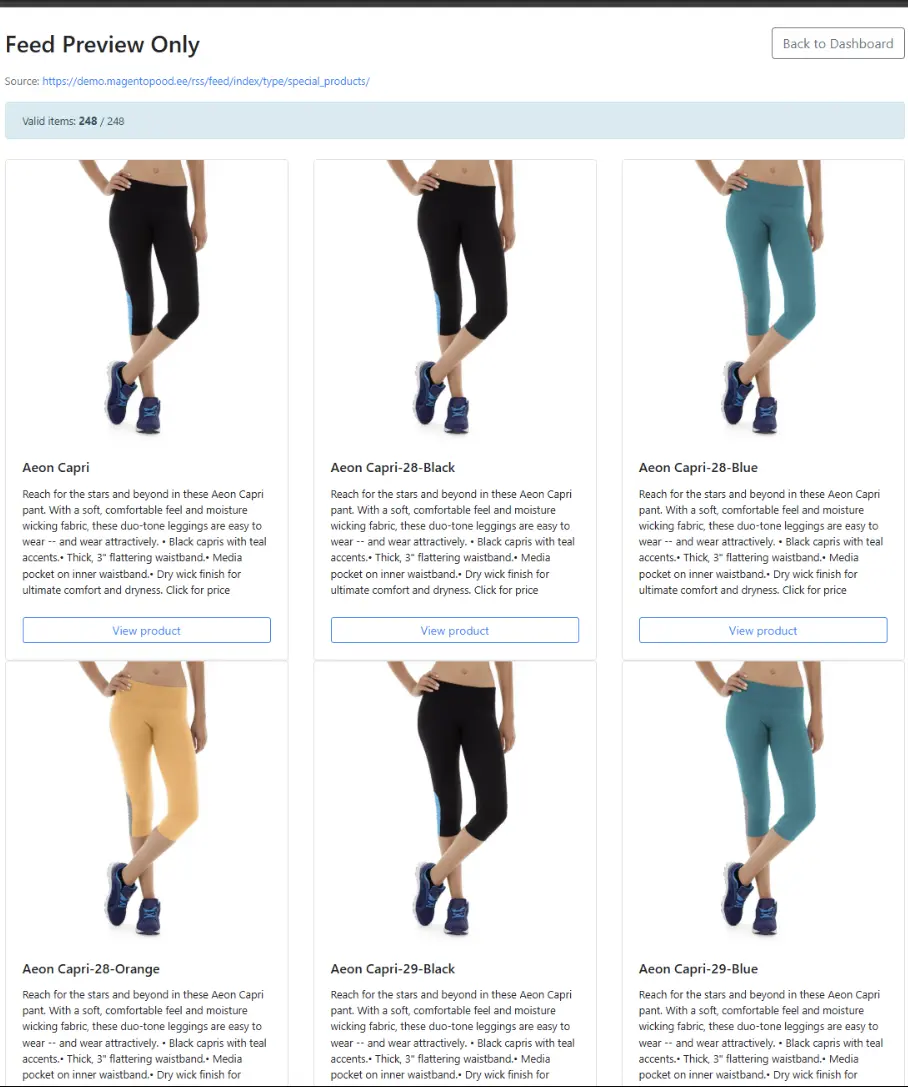
1. Products pulled from the feed
SnapPoster reads your feed URL and builds post candidates from product titles, images, prices and links.
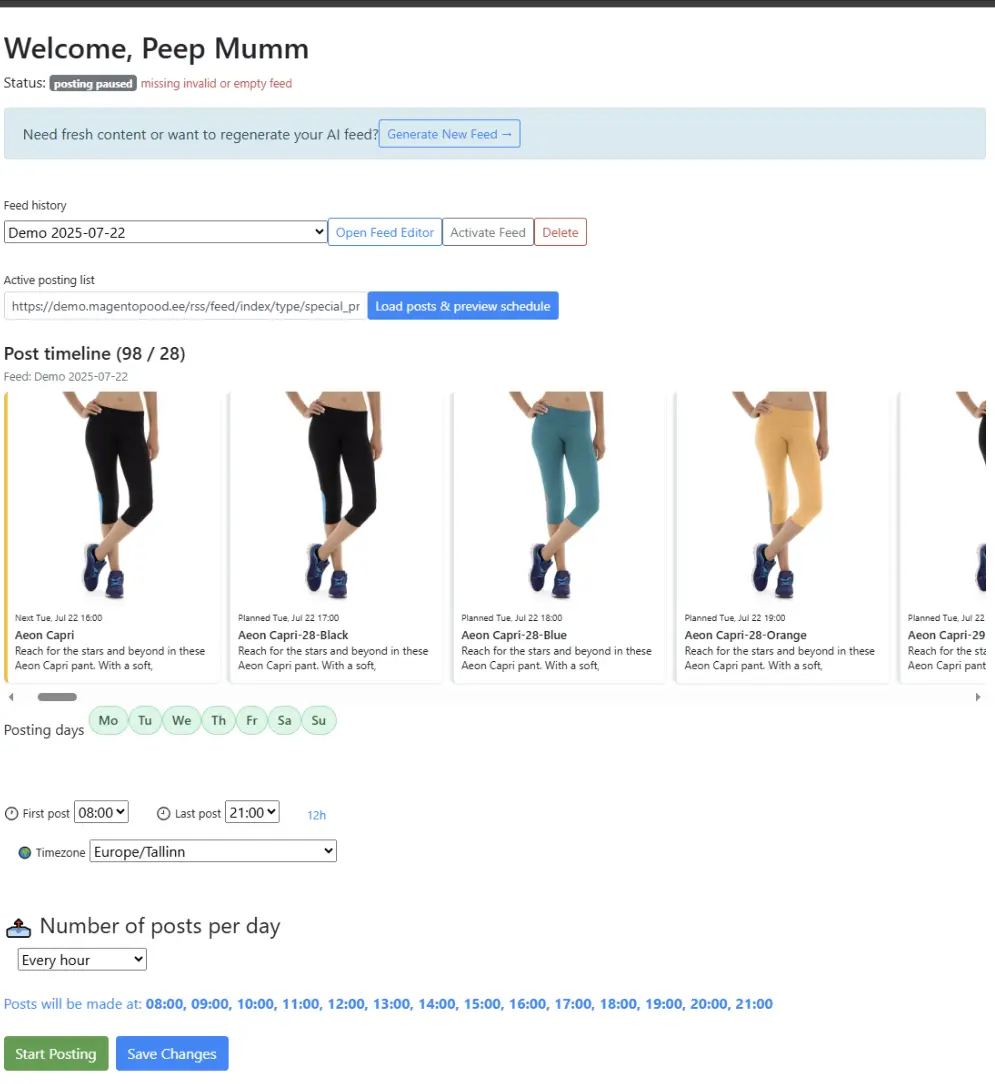
2. Posts prepared for review
Generated posts appear in your dashboard timeline. You check the queue, adjust the schedule, and approve what should go live.
3. Final post on Facebook
Here is the important part: SnapPoster does not just create draft text. It prepares posts in the same workflow where they will actually be published.
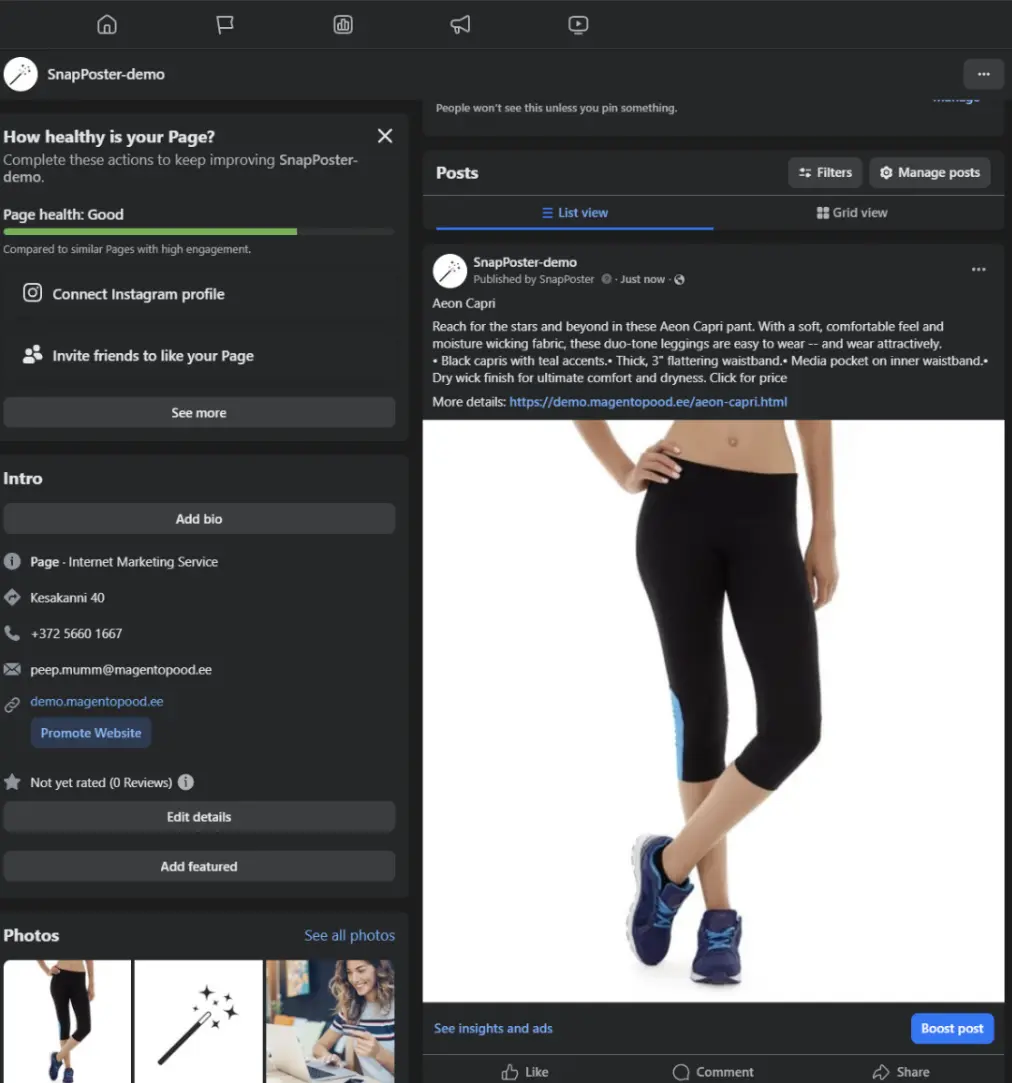
You did not write three captions. You did not upload three images. The feed already had the content.
Why this matters
Most small businesses do not lose visibility in one big moment. They lose it slowly.
One missed week becomes one missed month. Product pages stay hidden. New arrivals never reach Facebook. Seasonal offers get posted too late.
The daily pain is not “which platform should I use?” It is forgotten posting, unused product pages, and the same manual work repeated every time someone remembers to post.
SnapPoster keeps the basic posting rhythm alive, even when nobody has time to manually prepare posts every day.
Which platforms can this support?
Start with Facebook and Instagram. Other channels depend on your setup, the platform API, and whether the format makes sense for your business.
We separate this clearly so you know what you get on day one:
| Status | Platforms |
|---|---|
| Included now | Facebook Page, Instagram (connect separately in your dashboard) |
| Add-on | TikTok, Pinterest, Google Business Profile, LinkedIn (+€5/month each when billing is enabled) |
| Not currently supported | X (Twitter), Threads, Bluesky, YouTube, Reddit, Snapchat, Telegram, WhatsApp, Discord |
Not every network deserves the same effort. A practical fit guide:
| Platform | Best for | SnapPoster status |
|---|---|---|
| Facebook Page | Local visibility, product posts, comment-to-DM | Included — production-ready |
| Visual products, lifestyle content | Included when connected | |
| TikTok | Short visibility; links are copy-paste | Add-on — awareness, not main shop traffic |
| Evergreen product discovery (home decor) | Add-on | |
| Google Business Profile | Local search, showroom updates | Add-on |
| B2B, services, Feed Builder campaigns | Add-on |
How Connections works
On your client dashboard, the Connections section shows each platform as a card: included, add-on, connected or not.
- Start with Facebook (and Instagram if you want both).
- Add an add-on to your plan when you want TikTok, Pinterest, Google Business or LinkedIn.
- Connect via OAuth — you authorize publishing; we store the connection.
- Run a test post before the scheduler takes over.
Facebook and Instagram are the foundation. Add-ons use the same feed and schedule — you are not rebuilding workflows per network.
Comment-to-DM (Facebook & Instagram only)
On eligible packages (Two images enhancer mode), you can turn comments into private product links:
- Keyword mode — comment
LINK, get a DM with the product URL. - Any comment — every comment triggers a DM + optional public @reply.
This does not run on TikTok or other add-ons today — those networks do not expose the inbox APIs we need.
Pricing snapshot
Base subscription
Facebook + Instagram posting from your feed or website — the core SnapPoster plan.
Platform add-ons
+€5/month per platform for TikTok, Pinterest, Google Business Profile, or LinkedIn. Add one channel at a time. Cancel when an experiment ends.
Your website already has post-worthy content.
Turn it into regular social visibility. Review the queue, approve the schedule, and keep publishing.
FAQ
Do I need every platform?
No. Most merchants win with Facebook first, then one discovery channel (Pinterest or Google Business) if it matches their audience.
Is TikTok as mature as Facebook in SnapPoster?
No. It works for scheduled product posts, but links are not clickable in captions. Treat it as top-of-funnel.
Can I post different content per platform?
Today the same scheduled item goes to each connected destination, with caption tweaks per network. Use Feed Builder for fully custom campaigns.
What happens if I disconnect a platform?
We remove the publishing connection and stop scheduling there. Your feed and other channels keep running.
Are X, Threads or Bluesky available?
Not in the Connections grid today. We add platforms when autoposting clearly helps catalog and local merchants.
In short
Your website or feed is already the source of truth. SnapPoster turns it into regular social visibility without making you manually rewrite everything for every channel.
Review the queue once. Approve the schedule. Let the system keep publishing while you get back to normal work.
Originally published on 2026-05-21 by Peep Mumm.

is the founder of SnapPoster and Magentopood, with 10+ years in e‑commerce and Magento development. He helps merchants cut manual marketing work by turning existing catalog and site content into consistent, on‑brand Facebook posts—so teams can focus on sales and operations. His writing centers on practical workflows and automation that keep audiences informed and stores running efficiently.
LinkedIn